01EXPENSE
Your financial timeline.
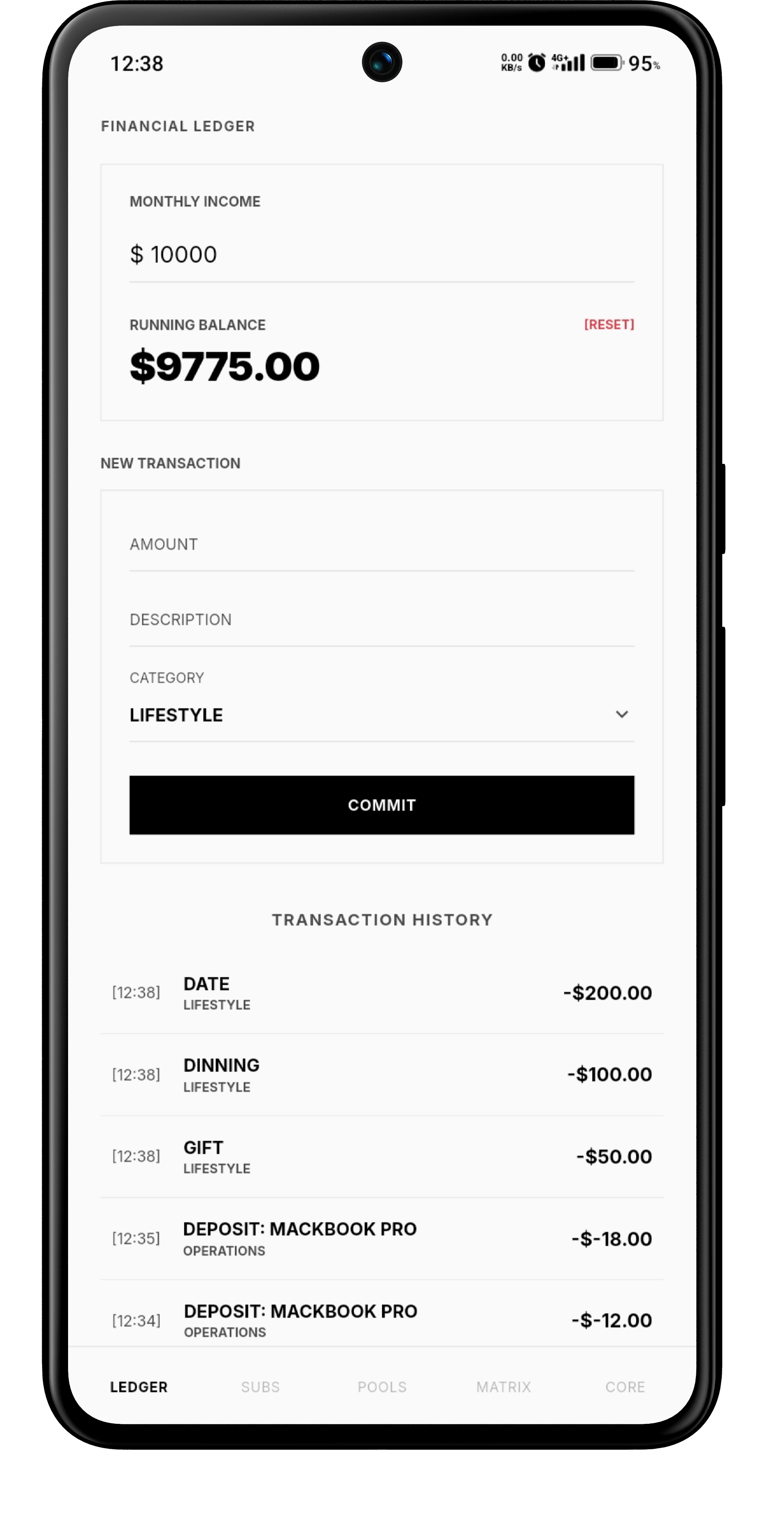
Log transactions and keep the active month's outflows visible.
 Exomic
Exomic keeps expenses, subscriptions, savings goals and budgets on your device. No cloud-sync dependency. No analytics layer. Just the numbers you care about.
Exomic uses four core workspaces: the financial ledger, recurring subscriptions, savings pools and category budgets. Each stays focused on one job, while local state updates keep the picture connected.
Settings stays outside the product showcase. The four working tabs are the experience.
Log transactions and keep the active month's outflows visible.
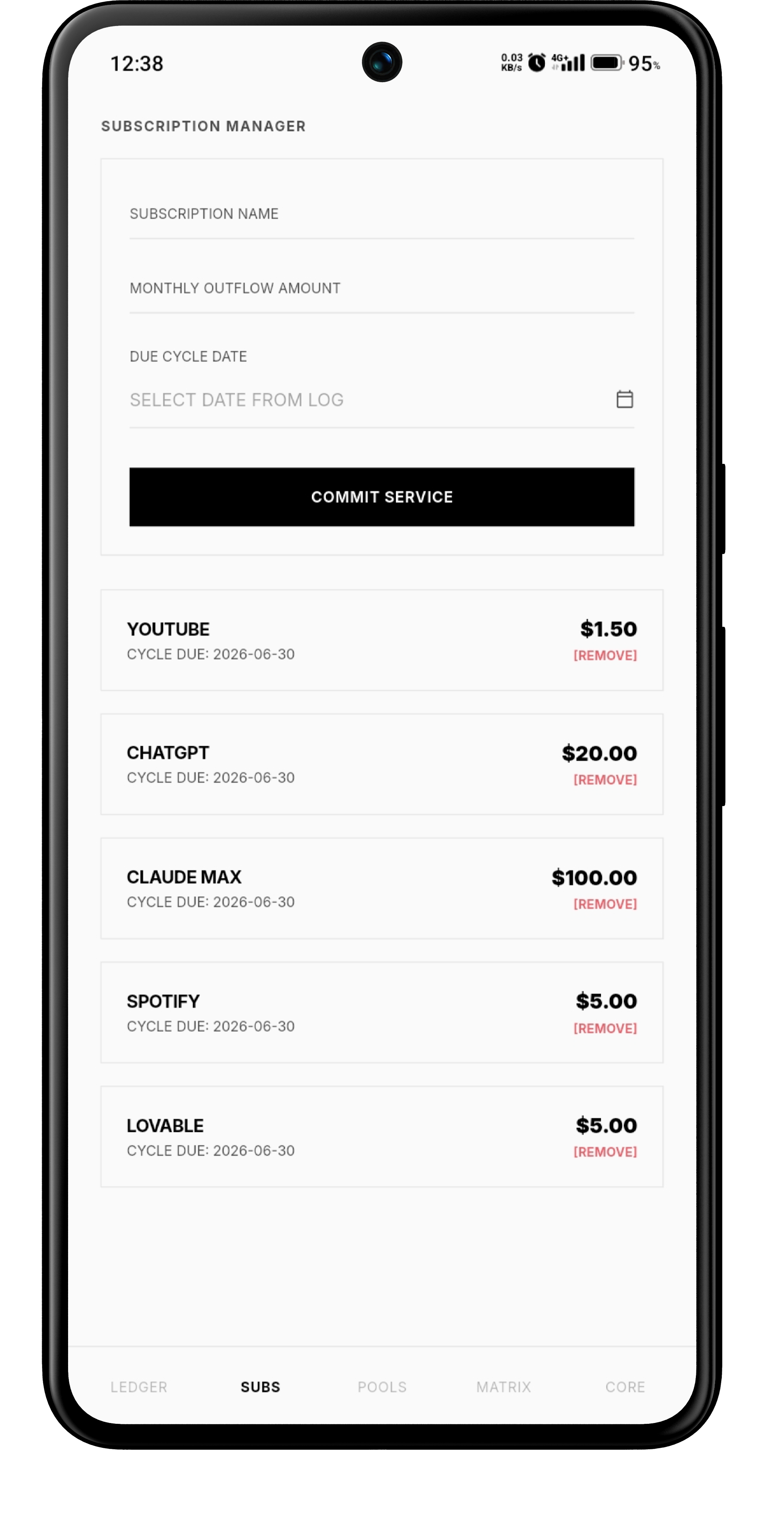
Track recurring services, renewal dates, costs, and active plans.
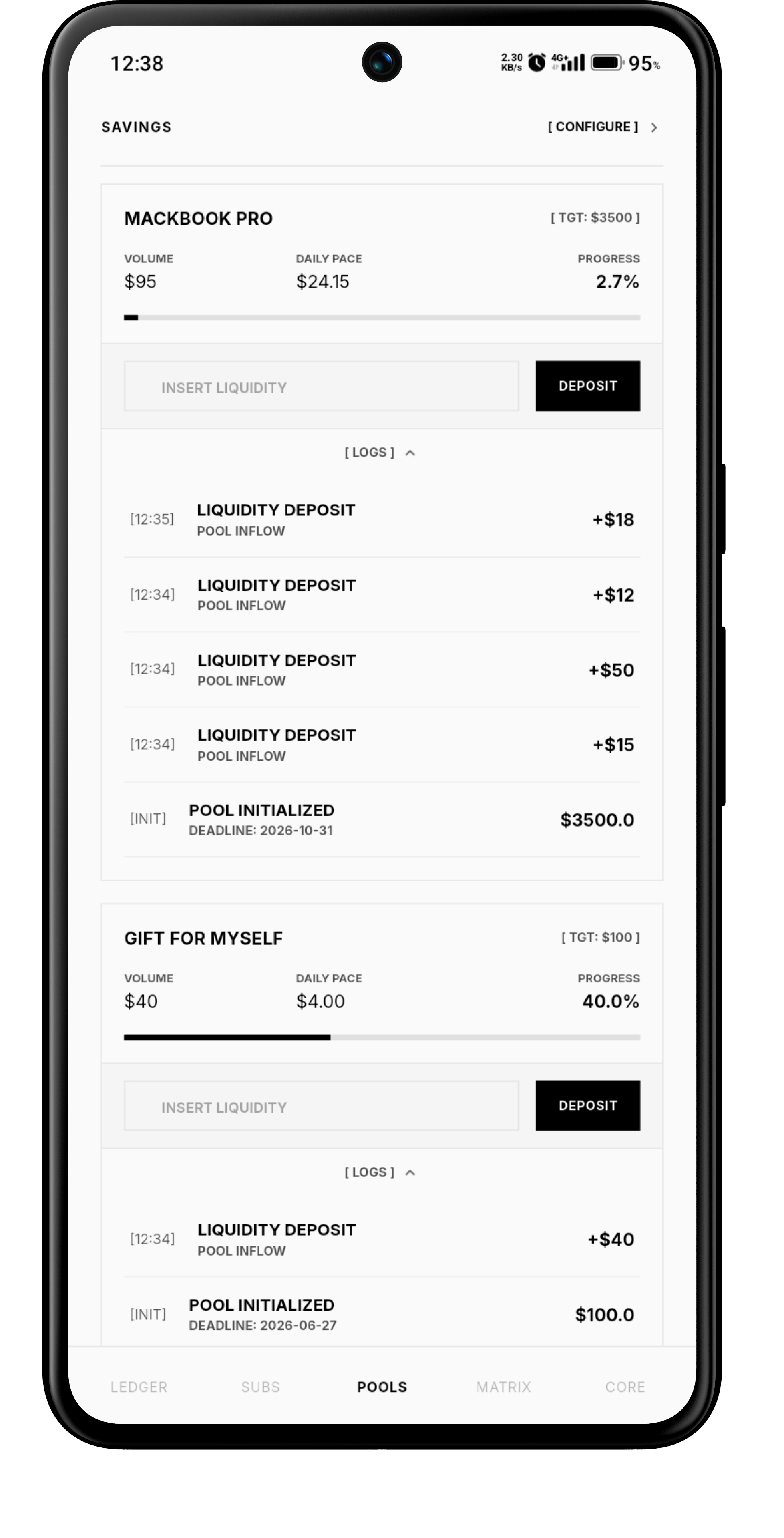
Set a goal and deadline; Exomic calculates the daily contribution required.
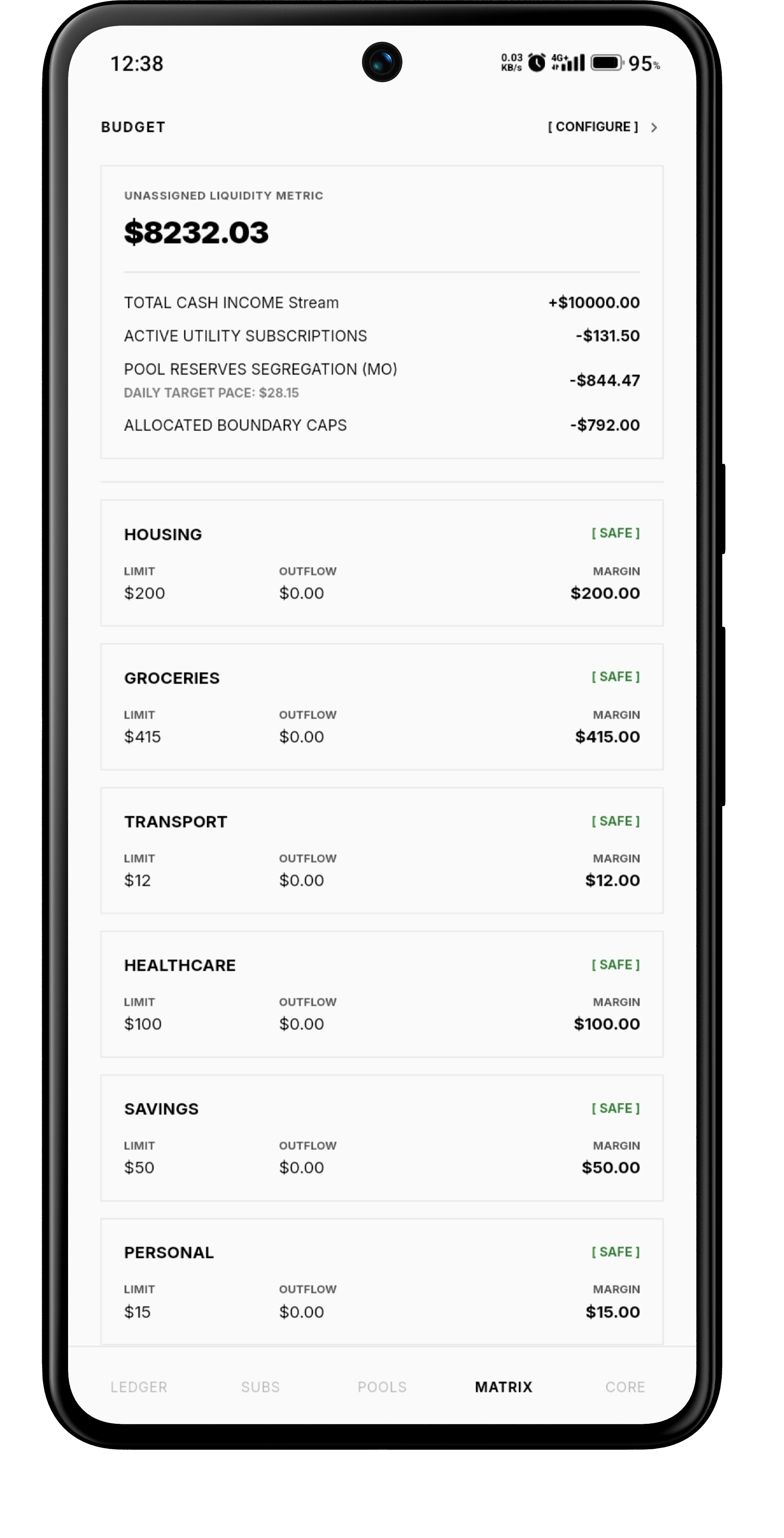
Set category caps and calculate unassigned liquidity from your actual obligations.
Exomic links local providers so a new transaction can update the ledger, budget tracking and related calculations without a full-screen reload.
The ledger filters the active month from timestamps and keeps the current total at the top. The point is not more charts — it is a clearer rhythm of spending.
Add an outflow with a description, amount and category.
Set category limits, recurring obligations or a savings target.
Local state updates keep the related numbers moving together.
The project specification describes local Hive boxes, encrypted storage and secure platform key access. Core financial calculations are handled on the device rather than through a remote financial database.
Exomic keeps persistence, encryption and reactive state on the device so the four workspaces can share one financial picture without depending on a remote service.
Transactions, subscriptions, savings goals and budget limits persist in local Hive boxes.
Local boxes are opened with AES-256 encryption using a key sourced from the platform's secure storage layer.
Provider updates propagate changes across the ledger, savings and budget views without a full-screen reload.
Core storage and calculations are designed to run on-device without external network dependencies.
The project describes the financial data engine as offline-first and without external network dependencies for core calculations and storage.
Expense, Subscription, Saving and Budget. The Settings screen is intentionally left out of the four-tab showcase.
The documentation describes Hive boxes with AES-256 encryption and a key sourced from the platform secure storage layer.
Yes. When current outflow exceeds a configured allocation, the interface can switch the category into a red breach state.
Four focused workspaces. One local financial picture.